


Ready to try eSIMs and change the way you stay connected?
Download the Airhub app to purchase, manage and top up your eSIMs anytime, anywhere!
App exclusive5% off at checkout
Stay connected during your Maldives travel with Airhub eSIM. Instant setup, no roaming fees, and reliable data across all islands and resorts.
Find the best eSIM for the Maldives with this guide to Ooredoo connectivity, island coverage, current Airhub plans and prices, and how to install your eSIM before your flight or seaplane transfer.
The Maldives is made up of hundreds of inhabited and resort islands spread across the Indian Ocean. Staying connected depends not only on the data plan you choose but also on the local network it uses and where you plan to travel.
Two major mobile operators serve the country: Dhiraagu and Ooredoo. Airhub's current Maldives eSIM plans list Ooredoo as their network, giving travelers a clear starting point when comparing plans.
This guide explains whether you need an eSIM, what to know about network coverage, which Airhub plans are currently listed, and how to set up your connection before leaving for your resort.

There are three main ways to get online during your trip, and each suits a different type of traveler.
| Option | Best for | Main advantage | What to consider |
| Travel eSIM | Short stays and travelers with compatible phones | Install before departure without changing your physical SIM | Requires an unlocked, eSIM-compatible phone |
| Local SIM or eSIM | Longer stays and travelers who need local service | Access to a local mobile operator's plans | May require purchase and setup after arrival |
| Resort Wi-Fi | Travelers who mainly stay at their accommodation | Convenient for basic browsing and messaging | May not be available when travelling between islands |
For many short-term visitors, a travel eSIM is convenient because it can be installed before departure. You can prepare your connection at home rather than searching for a SIM after a long flight.
A local SIM or eSIM can also be a good option if you need a particular local service or plan to stay for an extended period. Resort Wi-Fi may be enough for light use at your accommodation, but a mobile data plan gives you another option when you are away from Wi-Fi.

The Maldives has two major mobile operators: Dhiraagu and Ooredoo. Both provide mobile services across the country, but signal quality can vary depending on the island, your location, and local network conditions.
Airhub's current Maldives eSIM listings specify the Ooredoo network. The listed plans advertise premium 4G/5G connectivity, subject to network availability and device compatibility.
Before choosing an eSIM, consider where you will spend most of your time. A resort on one island may have a different signal experience from a guesthouse on another island or a boat travelling between atolls.
Check the operator's current coverage information for your destination and confirm the network shown on your selected Airhub plan.

Mobile coverage depends on your exact location. Connectivity on a populated island may differ from reception on a remote beach, a liveaboard boat, or open water between atolls.
Here are some practical considerations:
There is no single coverage result that applies to every resort or island. If reliable connectivity is important for work or travel arrangements, ask your accommodation which networks work well locally and check the coverage information for your specific destination.
Airhub's Maldives plans list Ooredoo, so that is the network to consider when checking coverage before purchase.

Airhub's current Maldives plan page lists several data options. The following prices were checked on October 21, 2026, and may change.
| Data allowance | Validity | Price (USD) | Network |
| 20GB | 10 days | $39.50 | Ooredoo |
| 35GB | 10 days | $53.49 | Ooredoo |
| 40GB | 10 days | $56.49 | Ooredoo |
| 50GB | 10 days | $62.50 | Ooredoo |
These are the currently displayed options verified for this article, not a guarantee that every plan will remain available. Check the live Airhub Maldives eSIM plans page for the latest prices, availability, and plan specifications before buying.
The 20GB plan may suit travelers who use mobile data regularly while relying on resort Wi-Fi for heavier activities. Larger allowances may be more suitable if you upload photos and videos frequently, use video calls, or expect to rely on mobile data throughout the day.
Airhub's current 20GB Maldives plan is listed as a data, voice and SMS plan and includes hotspot or tethering support. The plan page also lists unlimited minutes and SMS for the displayed voice-plan options.
Features can differ between plans, so check the individual listing before purchasing. Do not assume that every Maldives eSIM includes calls, SMS, a local phone number, or the same allowances.
The fixed-data plans listed above provide specific data allowances, including options of up to 50GB in the displayed 10-day range. These plans should not be described as unlimited data.
Check Airhub's live plan page for any additional options available when you book. If you choose a fixed-data plan, estimate your usage before departure and check whether a suitable top-up is available if you run low.
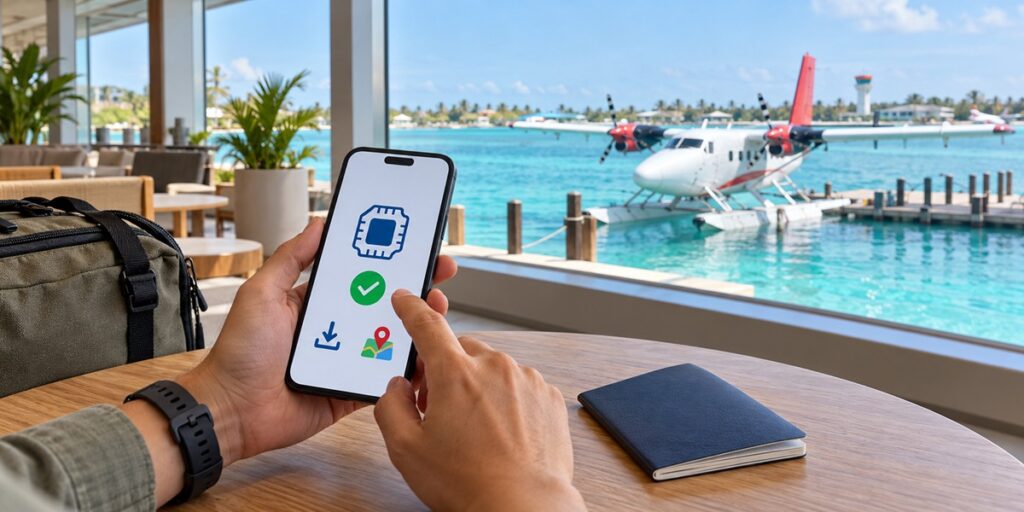
If your accommodation requires a seaplane or speedboat transfer, prepare your mobile connection before leaving the airport area. This makes it easier to access booking details, contact your resort, and check travel information.
Your phone must support eSIM and be carrier-unlocked. Use the Airhub eSIM compatibility checker before purchasing.
Choose a Maldives plan and complete the purchase online. Airhub provides installation details by email after purchase.
Scan the QR code provided with your order or follow the manual installation instructions. Installing it before departure means you do not have to rely on an airport connection to complete setup.
When you are ready to use the plan, select your Airhub eSIM as the mobile data line. Enable data roaming for that eSIM if required by the plan's instructions.
Keep your home SIM's data roaming switched off if you want to avoid accidental roaming charges from your regular carrier.
Once the eSIM connects to the local network, open a webpage or send a message. If you have an important transfer, confirm your connection and save your resort's contact details before leaving Malé.
Save your maps, resort address, transfer booking, travel documents, and other important information for offline access. Mobile reception can vary during journeys over open water.
Your data needs depend on how often you use mobile internet and whether your resort provides suitable Wi-Fi.
Data consumption varies significantly between users, so these categories are only a guide. Video streaming, automatic photo backups, and hotspot use can consume data quickly.
Airhub's listed Maldives plans include hotspot support on the verified 20GB plan. Check the selected plan's details before relying on tethering for your laptop or other devices.

A travel eSIM can be useful for:
An eSIM is particularly convenient if your phone supports it and you prefer to avoid changing physical SIM cards. However, check the network and plan details before purchase, especially if you will be staying on a remote island.
Ready to travel? Explore the current Airhub Maldives eSIM plans. If your trip also includes Sri Lanka or other destinations in Asia, compare regional plans to see whether one plan covers your full itinerary.
The best option depends on your destination, data needs, and preferred network. Airhub's current Maldives plans list Ooredoo and include several fixed-data options. Compare the current price, validity, coverage, and included features before choosing.
The Airhub plans listed in this guide have fixed data allowances, including 20GB, 35GB, 40GB, and 50GB options with 10-day validity. Check the live plan page for any other available offers before purchasing.
An eSIM can connect wherever its underlying network has service, but coverage is not guaranteed on every island or over open water. Check the network's coverage information for your resort and other planned stops.
Install it before departure while you have a reliable Wi-Fi connection. Follow the plan's activation instructions and select the Airhub line for mobile data when you are ready to use it.
For many short-term visitors, a travel eSIM is convenient because it can be installed before arrival. A local SIM or eSIM may suit longer stays or specific local service requirements. Compare coverage, pricing, data allowances, and calling features for your trip.
Wi-Fi availability and quality vary by property. Check with your resort if you need a dependable connection for work or video calls. A mobile eSIM can provide another option where the local network has coverage.
Many compatible dual-SIM phones let you keep your regular SIM installed while using an eSIM for mobile data. Choose the correct line for data and check your home carrier's roaming settings to avoid unexpected charges.
Many newer phones support eSIM, but compatibility depends on the exact model, regional variant, and carrier-lock status. Check your device using the Airhub compatibility checker before purchasing.
Get your Airhub eSIM in minutes and travel without roaming surprises.
Download the Airhub app to purchase, manage and top up your eSIMs anytime, anywhere!