










Ready to try eSIMs and change the way you stay connected?
Download the Airhub app to purchase, manage and top up your eSIMs anytime, anywhere!
App exclusive5% off at checkout
Learn how to buy an eSIM online in minutes with this step-by-step guide. Enjoy instant activation and seamless connectivity worldwide.
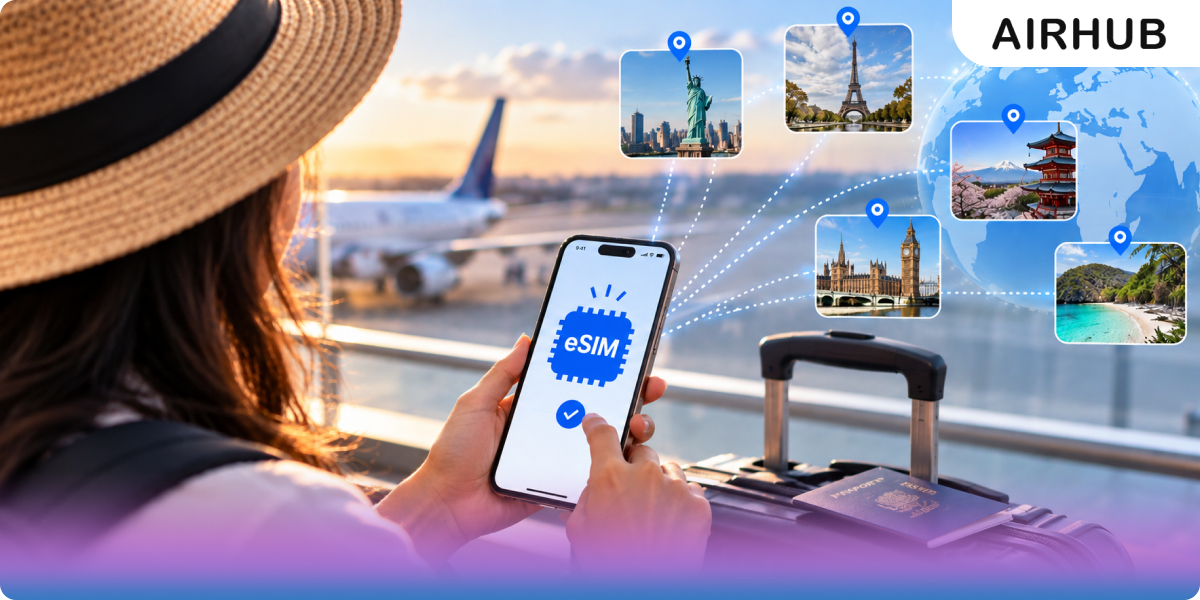
Buying an eSIM online sounds more technical than it is — which is exactly why so many first-time travellers put it off, then end up paying for it at an airport SIM counter instead. There's really nothing to it: no store, no plastic, no waiting for anything to arrive in the post. This guide walks the whole process in plain language, on both iPhone and Android, and spends most of its time on the two things that genuinely trip people up — whether your phone can take an eSIM in the first place, and when the plan's clock actually starts ticking.
An esim is a digital SIM built into your phone — there's no physical card to insert. Instead of slotting in plastic, you download a data plan as a profile and it switches on over software. The easiest way to picture it: Netflix for mobile networks. Nothing to post, nothing to swap, no shop to visit — pick a plan, scan a code, and you're online. Nearly every phone released since 2018 supports it, so the real first move is confirming yours does.
Most guides breeze past this, and it's the one step that saves you buying a plan your phone can't use. Two quick ways to be sure:
One more thing that catches people out: your phone has to be carrier-unlocked, because a locked handset won't take a travel eSIM no matter how new it is. Not sure? Our eSIM compatible devices list spells it out by model.
eSIM plans come in three shapes, and matching the right one to your route quietly saves you money:
Then size the data to how you actually travel. If you're mostly on hotel Wi-Fi and just need maps and messaging out and about, a small plan is plenty. If you'll stream, take video calls, or tether a laptop, size up — or skip the arithmetic entirely with an esim with unlimited data. And glance at the validity window while you're there, so the plan actually spans your whole trip rather than expiring on day four.
Pick your plan, pay, and within a few minutes you'll get three things by email: a QR code, a set of manual activation details (your backup if the scan won't cooperate), and a confirmation. No paperwork, no shipping, no queue — and it works exactly the same whether you're doing it from the sofa a week out or from the departure gate an hour before boarding.
Do this on Wi-Fi before you fly. It's a two-minute job, and there's no need to restart the phone afterward.
On iPhone: open Settings → Cellular → Add eSIM, scan the QR code, and follow the prompts. Give the line a name you'll recognise later.
On Android: open Settings → Network & internet → SIMs → Add eSIM, then scan the QR code (or key in the details by hand), and set it as your data line.
For the trickier edge cases — a QR code that won't scan, that sort of thing — our fuller how to set up an eSIM guide has you covered.
This is the bit that quietly catches first-timers out, so it's worth slowing down for: installing an eSIM and starting its clock are two different things. You can install the profile at home on Wi-Fi without spending a byte of your allowance — with most travel plans, the validity doesn't begin until the eSIM connects to a network at your destination.
So the sensible play is to install before you leave, then just switch it on when you land — set it as your data line and turn on data roaming for that line. With AirHub, it comes alive quickly once you connect.
Still deciding whether an eSIM is even the right call? Here's how buying one online compares with the two old-school alternatives:
| Travel eSIM | Local SIM | Home-plan roaming | |
| Getting it | Buy online, scan a QR code | Queue at a shop abroad | Automatic (if enabled) |
| Setup | ~2 minutes, before you fly | In-store, often with ID | None, but you must switch it on |
| Cost | Low, prepaid, clear | Low-ish, but variable | Usually the most expensive |
| Speed | Full local 4G/5G | Full local 4G/5G | Often throttled |
| Keep your number? | Yes (data-only, alongside your SIM) | No, unless dual-SIM | Yes |
The short version: an eSIM hands you local speeds and clear prepaid pricing without the airport queue or the bill-shock that roaming is famous for.
.webp)
A handful of rookie errors account for most of the frustration:
Price matters, but three things separate a good eSIM provider from one you'll regret:
And one practical habit that saves a surprising amount of grief: because a travel eSIM is data-only, keep your home SIM switched on alongside it. The eSIM carries your data, while your usual number keeps receiving calls and — the part people forget until it bites — banking and 2FA verification texts. Just turn the home line's data off so it can't quietly roam.
That's the how; here's the where. Travel eSIM by Airhub covers 190+ countries with instant QR-code delivery, prepaid pricing and no roaming fees, in-app top-ups, and genuine 24/7 human support. Buy before you fly, scan on arrival, and you're connected the moment you land — grab the AirHub app for iOS or Android and see how quick it really is.
Yes — install it at home on Wi-Fi before you fly, then switch it on when you land, so you're online straight away for maps, ride apps, and messaging. Just remember installing it doesn't necessarily start the validity clock (see Step 5).
Usually minutes. Your QR code and setup instructions arrive by email right after payment — there's nothing to ship.
No — a travel eSIM is typically cheaper than roaming and roughly on par with a local SIM, minus the shop visit and the shipping. You pay one clear prepaid price for the data you need.
No. A travel eSIM is a separate data plan, so your usual number stays exactly as it is. On a dual-SIM phone you run both at once — your number for calls and texts, the eSIM for data.
Dial *#06# and look for an EID, or check for an "Add eSIM" option under Settings → Cellular (iPhone) or Settings → Network & internet → SIMs (Android). Your phone also needs to be carrier-unlocked.
Get your Airhub eSIM in minutes and travel without roaming surprises.
Download the Airhub app to purchase, manage and top up your eSIMs anytime, anywhere!