

Airlines around the world are racing to keep passengers connected. If you fly a major airline, there’s a good chance your plane has in-flight internet (aka Wi-Fi on planes), but it’s not guaranteed on every flight or aircraft. Even when available, service may be basic: older “air-to-ground” systems let planes connect to cell towers for simple messaging, while newer “satellite Wi-Fi” antennas beam to orbit for broadband speeds. Wi-Fi on an airplane is now common, but there is a lot more that you should know for a better experience!
Table of contents
- How Does Airplane Wi-Fi Work?
- What is the Cost of Wi-Fi on a Plane?
- Airplane Wi-Fi vs. Mobile Hotspot: How to get Wi-Fi on the Plane?
- eSIM Hotspot at 30,000ft?
- Why eSIM Trumps In-Flight Wi-Fi?
- Getting an eSIM Online for Hotspot
- Why Choose Airhub for a Hotspot in Airplane?
- Get Connectivity on Plane!
- FAQs
How Does Airplane Wi-Fi Work?
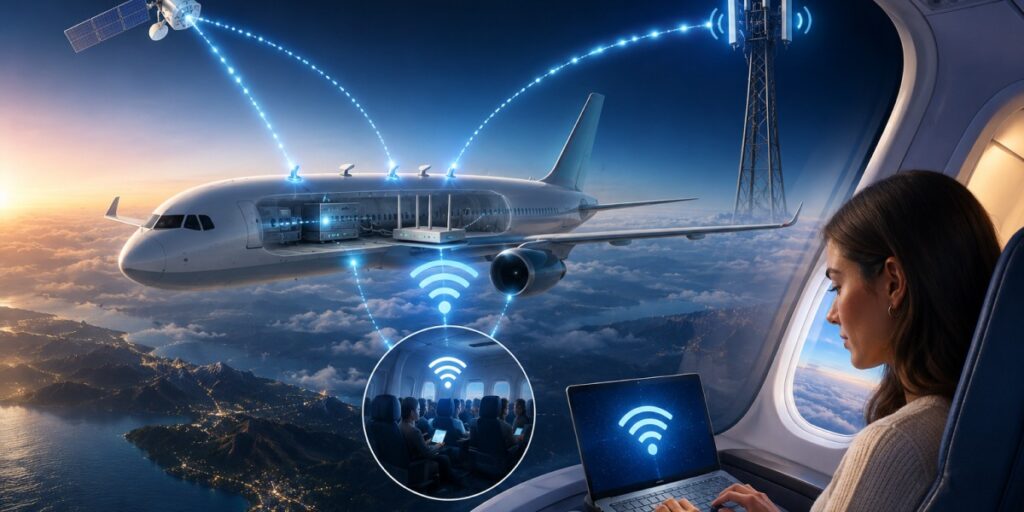
If you are wondering: Wi-Fi on airplanes: how does it work? It isn’t very complex. Airplane internet uses a few clever tricks to reach 35,000 feet:
- Downlink from the plane: Multiple powerful antennas on the fuselage establish a connection to ground cell towers. It’s effective on the ground (mostly in the US) and generally offers meager Internet on flights (great for email and messaging, not so much for video streaming).
- Satellite links: A receiver on the plane communicates with satellites orbiting the Earth. This can provide higher bandwidth even in remote parts of the world, so you can potentially stream and browse a lot. Airlines tend to use the best of both worlds principle (satellite and ground) to ensure that the coverage is maximum.
- Onboard Wi-Fi router: Inside the cabin, your device sees a local Wi-Fi network (like a moving hotspot). When you join “Plane_Internet” or similar, your laptop or phone connects to the plane’s wireless router, which in turn relays data to the ground via one of the above methods.
Behind the scenes, installing in-flight Wi-Fi is complex and still evolving. If your flight has Wi-Fi, the airline usually provides steps: switch your device out of airplane mode, enable Wi-Fi, select the network, and (often) log in or pay for access.
What is the Cost of Wi-Fi on a Plane?

Wi-Fi on a plane usually isn’t free (though there are exceptions). Common pricing patterns include:
- Free tiers by airlines: Some carriers bundle Wi-Fi in the ticket. For example, JetBlue and Turkish Airlines include internet in many fares. British Airways gives first-class travelers unlimited Wi-Fi. In these cases, you connect at no extra charge.
- Tiered pricing: Most airlines sell Wi-Fi packages. You might get a basic chat-only plan for cheap, while full browsing/streaming costs more. For instance, basic messaging-only passes can run around $3–$4, while full-flight internet averages about $20.
- Freemium model: Many carriers (around 58%) now offer a free tier (often limited to messaging apps) and charge for faster service. This keeps casual users happy and still monetizes heavy users.
- Mobile carrier deals: In the U.S., some phone plans now include Wi-Fi on selected flights. If you have that plan, you might connect without paying onboard fees.
Airplane Wi-Fi vs. Mobile Hotspot: How to get Wi-Fi on the Plane?
If you don’t want to depend upon airplane Wi-Fi, you can use your own hotspot. Here is a comparison for better clarity:
| Feature | Airplane Wi-Fi | Mobile Hotspot (Cellular) |
| Availability | Only on flights where the airline has Wi-Fi equipment. | Only on the ground or at the airport (requires cell towers). |
| Data Source | Uses satellite or ground towers via the plane’s systems. | Uses nearest cell towers with your mobile data plan. |
| Coverage | Available at 30,000 ft where equipped; not at all on many planes. | Covers where cell service exists (not usable during flight). |
| Speed | Moderate, can be slow if there are many users or weather issues. | Depends on the network (4G/5G can be faster than many in-flight Wi-Fi). |
| Cost | Often, per-flight fees or subscriptions. Can be expensive. | Typically monthly/annual subscription with your phone plan (data may be limited). |
| Security | Public network (encrypted by airline), similar risk as other public Wi-Fi. | Your own password-protected hotspot is generally more secure. |
| Use Case | Let's you use the internet during flight on laptops/phones. | Can be used anywhere on land. On the flight, it won’t connect (cellular signals are off). |
eSIM Hotspot at 30,000ft?
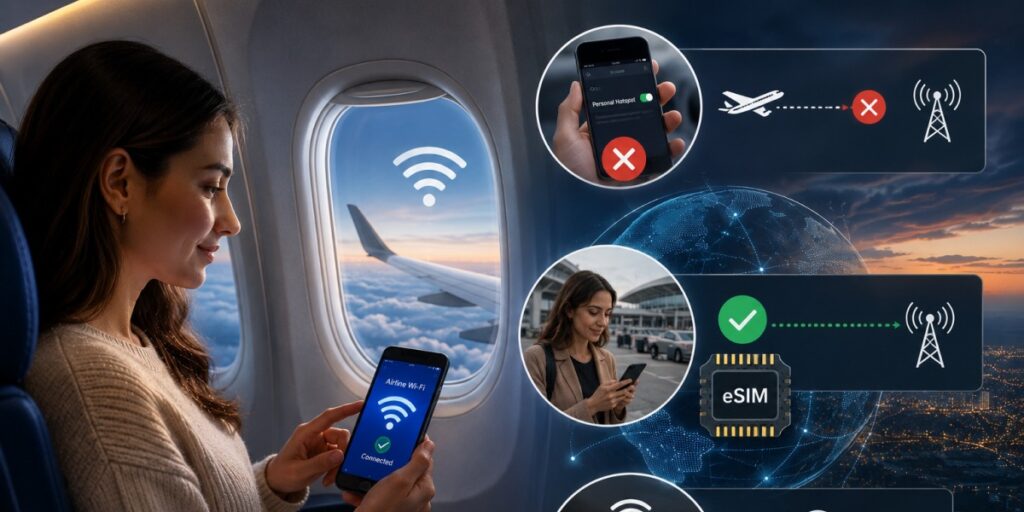
A quick caveat: You cannot use a mobile data hotspot while flying because phones must be in airplane mode. Your eSIM can’t reach cell towers in the sky. In other words, there’s no “personal hotspot” from your phone’s SIM in mid-air.
If a flight offers Wi-Fi, you could connect your phone as usual and (if airline policy allowed) turn on its hotspot feature to share with other devices, but most carriers forbid that on board for technical and safety reasons.
The real benefit of an eSIM comes on the ground. If you are wondering: What is eSIM? Think of your eSIM as a global data plan for when you land. As soon as the plane touches down, just switch on the eSIM service and your phone joins a local network. So in-flight use is limited to the plane’s own Wi-Fi. But having an eSIM means you’re online from the gate onward, a perfect complement to (or replacement for) spotty airline Wi-Fi. It also supports pocket Wi-Fi. If you are wondering: What is pocket Wi-Fi? It is a small battery-powered router that access local network to offer you internet.
Why eSIM Trumps In-Flight Wi-Fi?
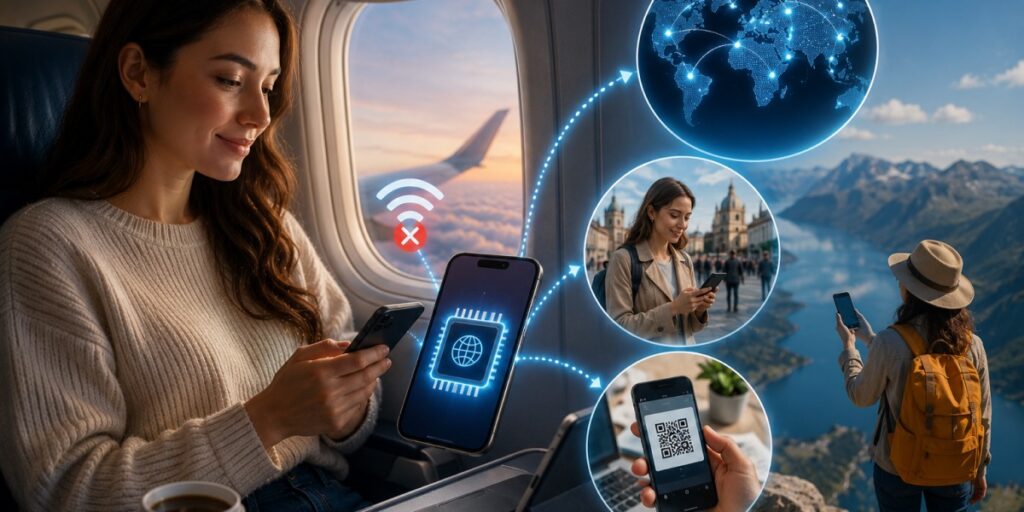
Using a travel eSIM has big perks over relying on plane internet:
- Global Coverage: A good eSIM covers data in 190+ countries. Your Airhub eSIM works anywhere there's cell service, so you stay connected after landing just as easily as on the ground at home.
- No Roaming Fees: eSIM plans are prepaid for local data. You pay for the data you need upfront, with no surprise roaming charges. Airhub’s tagline says it: “No SIM swap, no Roaming”. In-flight Wi-Fi, by contrast, is an extra flight-by-flight cost.
- Instant Activation: Buy online and get a QR code immediately. Install it with a quick scan, and you’re set. There’s no need to handle a physical SIM card.
Getting an eSIM Online for Hotspot
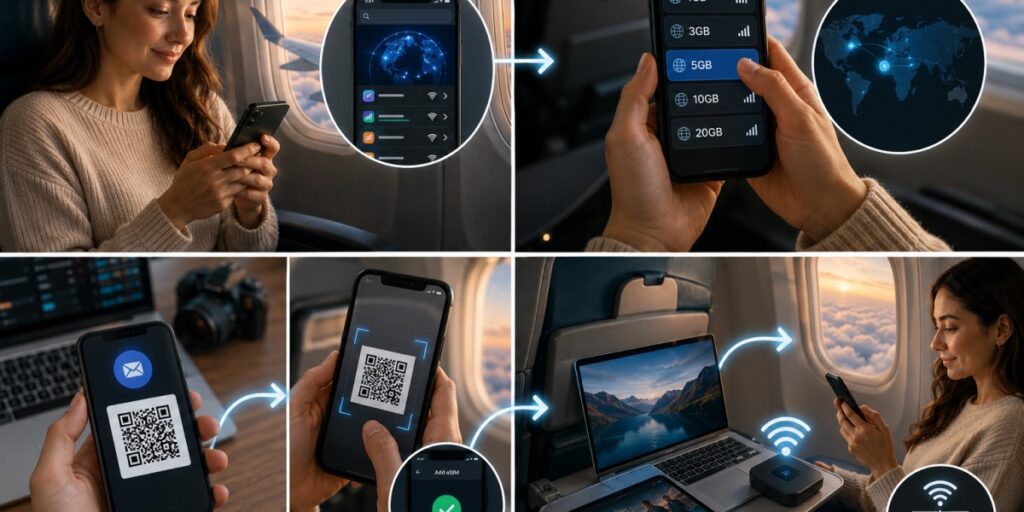
Getting set up with a travel eSIM is straightforward, but before it is important for you to answer: Is my phone eSIM compatible? Check online or look for the IMEI number. Once done, follow these steps:
- Surf for a Provider: Browse on the web and find a provider online that would give you access to the local network.
- Pick a Plan: Choose the data plan that best fits your needs. A large data package is available for streaming and heavy use of the internet.
- Pay and get QR code: After you pay for your purchase, a QR code will be sent to you via email.
- Scan and Use: After scanning the QR code, you can surf on the plane and use it as a hotspot without any problem.
Why Choose Airhub for a Hotspot in an Airplane?
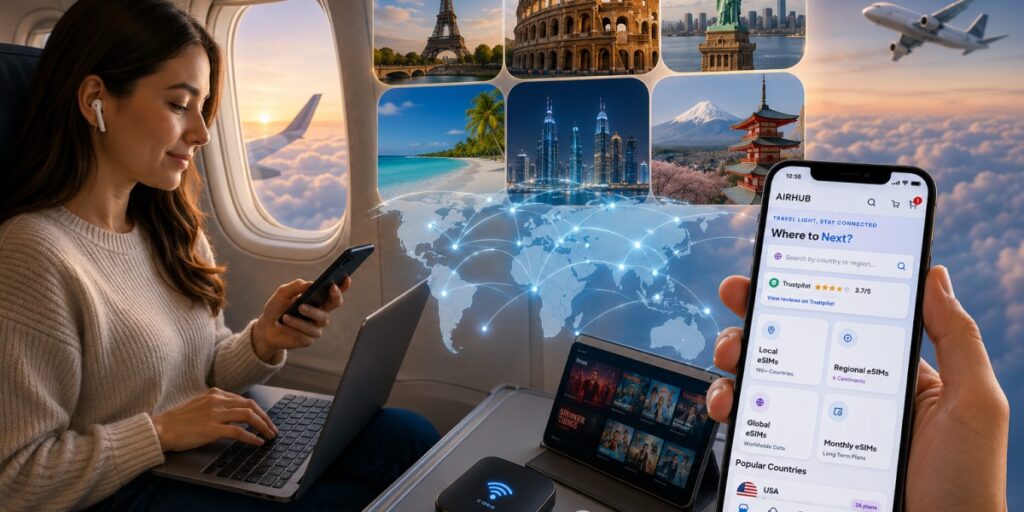
Ready for seamless travel connectivity? Buy an eSIM online from Airhub. It is built for just this purpose. Airhub offers data in 190+ countries with instant setup. Thousands of travelers (over 5 million to be exact) trust Airhub for reliable service abroad. There are no hidden fees or roaming surprises, just pay for the plan you want.
Get Connectivity on Plane!
Airline Wi-Fi has come a long way; the majority of airlines now offer it. But it often means extra fees, slow speeds, or broken connections. Because phones can’t use normal mobile data at altitude, many travelers end up relying on costly plane Wi-Fi packages. Stay online on every flight and beyond with the right plan. Wi-Fi in airplanes is convenient, but nothing beats having continuous connectivity via an eSIM like Airhub.
FAQs
1. Is there Wi-Fi on planes?
Many modern planes offer Wi-Fi, but it’s not on every flight. About 70% of airlines now provide some in-flight Wi-Fi. Legacy carriers almost always have it; some low-cost or older planes may not. Always check your airline’s amenities to be sure.
2. How does the internet work on flights?
Planes use either ground towers or satellites. A roof antenna links the aircraft to cellular towers or to internet satellites. Your device connects to the plane’s local Wi-Fi network, which then relays data via those links. It’s like using any public Wi-Fi, just from a moving hotspot.
3. Which airlines offer free Wi-Fi?
A few do. For example, JetBlue offers free Wi-Fi on every seat of every plane. Turkish Airlines includes it on many routes (especially for business-class). British Airways gives unlimited free Wi-Fi to first-class flyers. Others may offer limited free messaging services via partner apps.
4. Is using airplane Wi‑Fi safe?
Airplane Wi-Fi is encrypted, but it’s still a public network subject to hacking risks. Treat it like any café Wi-Fi: avoid sensitive banking or logins. To be extra safe, use a VPN. In general, don’t enter personal passwords on unfamiliar networks and use HTTPS websites whenever possible.
5. How do I stay connected during international flights?
Most international flights offer paid Wi-Fi these days. You can buy a pass (often $5–$20) and connect mid-flight. Otherwise, download videos and maps offline before you depart. Once you land abroad, having a travel eSIM or local SIM is best. An eSIM (like Airhub) activates on arrival, so you’re online immediately without roaming charges. Airport Wi-Fi (if available) can also help during layovers.
6. How much does it cost to get Wi-Fi on an airplane?
Prices vary by airline and plan. Typically, short domestic flight Wi-Fi is around $5–$10, while transatlantic or long-range flights can be $15–$30 or more. Many airlines now charge per flight segment. Some use tiered pricing: basic chat-only plans might be only a few dollars, whereas full-streaming passes cost around $20. Again, check your carrier’s in-flight internet fees before you fly.

